Solution
The first thing that I do is use file and string.
1
2
3
4
5
6
.NETFramework,Version=v4.5
FrameworkDisplayName
.NET Framework 4.5
3System.Resources.Tools.StronglyTypedResourceBuilder
4.0.0.0
KMicrosoft.VisualStudio.Editors.SettingsDesigner.SettingsSingleFileGenerator
That shows exe file write by C# use .NET Framework, so now i use dnspy to reverse it.
DnSpy
First, try to run exe file
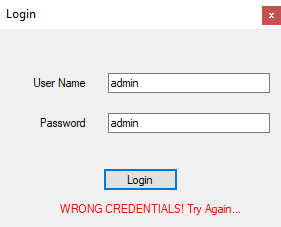
It check for username and password and in introduction of the challenge the flag have format HTB{username:password} so challenge is finding username and password
Run in dnSpy and see that. The program start with
1
2
3
4
5
6
7
8
9
10
11
12
13
14
15
namespace TearORDear
{
  // Token: 0x02000003 RID: 3
  internal static class Program
  {
  // Token: 0x06000014 RID: 20 RVA: 0x0000335D File Offset: 0x0000155D
    [STAThread]
    private static void Main()
    {
      Application.EnableVisualStyles();
      Application.SetCompatibleTextRenderingDefault(false);
      Application.Run(new LoginForm());
    }
  }
}
See in LoginForm that have button1_Click are check username and password
1
2
3
4
5
6
7
8
9
10
11
12
13
14
15
16
private void button1_Click(object sender, EventArgs e)
{
  this.label_Result.Text = "";
  this.kapa(sender, e);
  this.pep = 0;
  this.aa =
  this.Multiply(this.encrypted1(this.textBox_user.Text).Substring(0, 5), -1);
  this.aa = this.aa.Remove(this.aa.Length - 1);
  string s = this.Multiply(this.oura, -9);
  if (this.username == this.o && this.check1(s))
  {
    MessageBox.Show("Correct!");
    return;
  }
  this.label_Result.Text = "WRONG CREDENTIALS! Try Again...";
}
The username and password have 2 conditions including this.username == this.o and this.check1(s)
Now, set debug in this line and run, see that
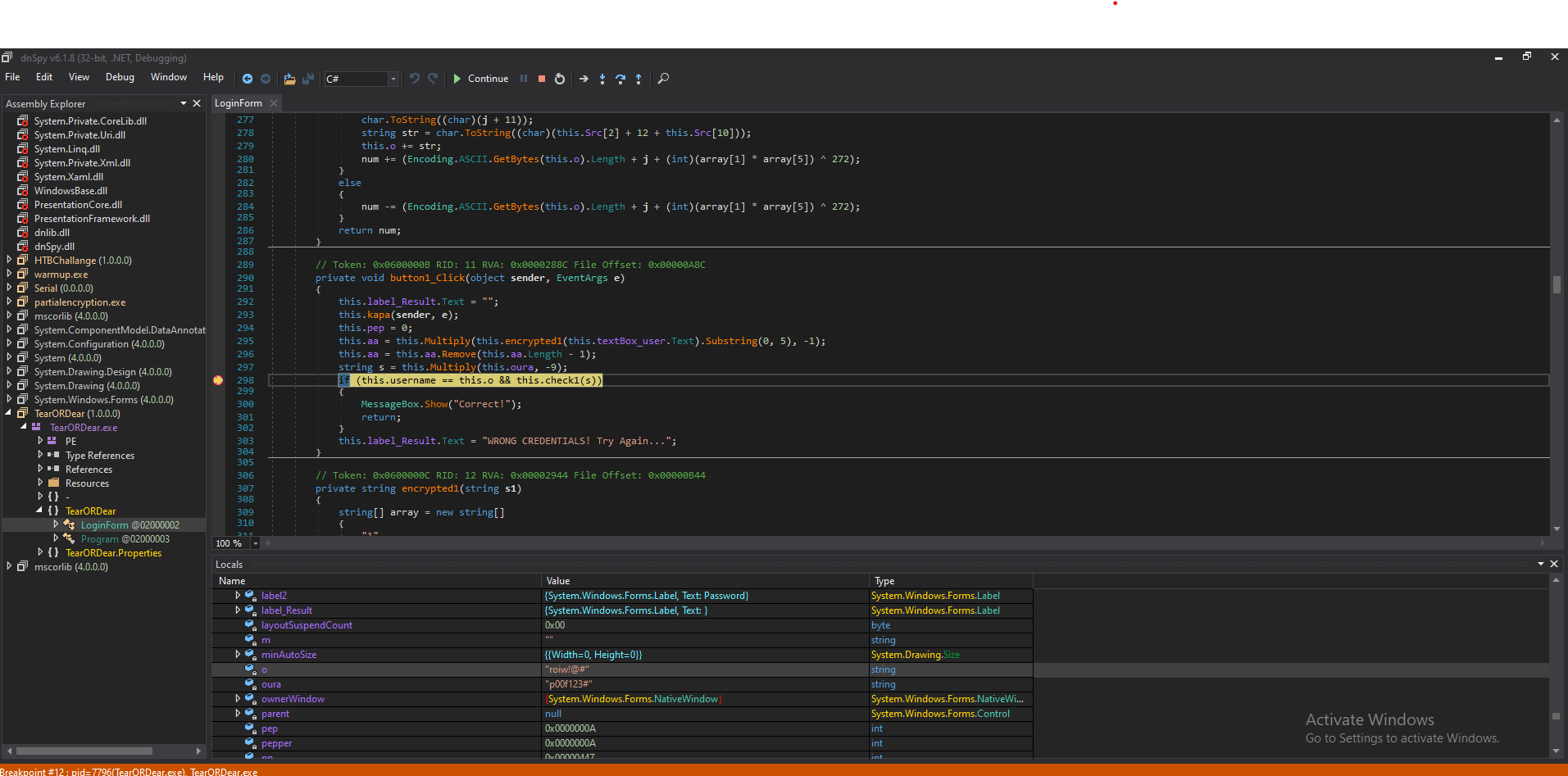
Try with username roiw!@# and set debug but the condition return false. So username is not roiw!@#, why.
Now, see before the conditions, get attention to this.Multiply(this.encrypted1(this.textBox_user.Text).Substring(0, 5), -1);
1
2
3
4
5
6
7
public string Multiply(string s, int n)
{
  char[] array = s.ToCharArray();
  Array.Reverse(array);
  this.username = this.textBox_pass.Text;
  return new string(array);
}
The username get from password :))) so the password is roiw!@#
Now handle the second condition this.check1(s), it will return check2, check3, check4 and last return check
1
2
3
4
5
6
7
8
9
10
11
12
13
14
15
16
17
18
19
20
21
22
23
24
25
26
27
28
29
30
31
32
33
34
private bool check(string[] s1, string s2)
{
  string[] array = new string[]
  {
    "q",
    "w",
    "e",
    "r",
    "t",
    "y",
    "u",
    "i",
    "o",
    "p",
    "a",
    "s",
    "d",
    "f",
    "g",
    "h",
    "j",
    "k",
    "l",
    "z",
    "x",
    "c",
    "q",
    "b",
    "n",
    "m"
  };
  array[3] + array[8] + array[7] + array[(int)Math.Sqrt(2.0)];
  return this.textBox_user.Text == this.aa && array[0] == array[22];
}
So set debug in this and we can see the username in this.aa is piph
Flag: HTB{piph:roiw!@#}
Box Rooted

If you find my articles interesting, you can buy me a coffee